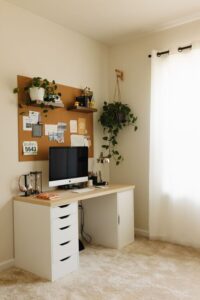
Tips for Creating a Cozy and Productive Home Workspace
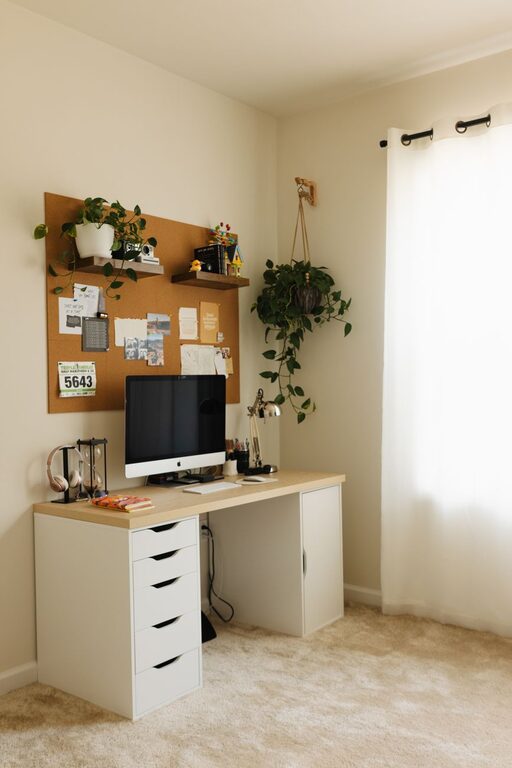
Creating a home workspace that balances comfort and productivity can make a significant difference in your work-from-home experience. Whether you’re freelancing, managing remote meetings, or handling daily tasks, a cozy yet efficient setup helps maintain focus while reducing stress. Here’s a detailed guide to help you design a home workspace that feels inviting and supports your best work.
Choose the Right Location
When setting up your workspace, location matters. Try to pick a spot that’s:
– Quiet and low-traffic: Fewer distractions mean better concentration.
– Near natural light: Sunlight boosts mood and reduces eye strain.
– Away from noisy appliances: Limit interruptions from household sounds.
If space is limited, consider corners of living rooms or bedrooms, or a small area under a staircase. The key is to designate a permanent spot that your brain will associate with work.
Invest in a Comfortable Chair and Desk
Comfort is crucial — it affects posture, focus, and how long you can work without fatigue.
– Ergonomic chair: Look for adjustable height, good lumbar support, and cushioning.
– Appropriate desk height: Your elbows should rest comfortably at about 90 degrees when typing.
– Desk size: Ensure there’s enough room for your computer, accessories, and a little extra space for notes or planning.
If possible, consider a sit-stand desk or adding a standing option to shift positions during the day.
Optimize Lighting
Good lighting can reduce eye strain and create a welcoming environment.
– Maximize natural light: Position your desk near windows but avoid glare on screens.
– Layer lighting: Combine overhead lights with desk lamps to control brightness.
– Use warm-toned bulbs: Soft, warm light creates a cozy atmosphere without being harsh.
Consider adjustable lamps for flexibility, and put bulbs on dimmers if you like to change brightness depending on the time of day.
Keep Your Workspace Organized
A clutter-free area helps your mind stay clear and focused.
– Use organizers: Drawer dividers, desk trays, and cable management solutions keep everything in place.
– Minimal decor: A few personal touches like plants or photos can enhance the space but don’t overpower it.
– Regular cleanups: Set aside time weekly to tidy your workspace, removing unnecessary papers and items.
Organizing digitally is just as important — keep your computer desktop and email inbox streamlined too.
Add Cozy Elements
Comfort can improve productivity by making you want to spend more time in your workspace.
– Soft textiles: A plush rug or a cushioned chair pad can add warmth.
– Plants: Indoor plants improve air quality and add a relaxing touch.
– Temperature control: Use a small fan or heater as needed to stay comfortable.
– Personal touches: Artwork, inspiring quotes, or favorite mugs can create a pleasant environment.
Aim to balance functionality and coziness so your workspace is appealing but not distracting.
Minimize Digital Distractions
Technology is essential but can also sidetrack you.
– Turn off non-essential notifications: Silence apps unrelated to work during focus periods.
– Use focus tools: Apps or browser extensions can block distracting websites or social media.
– Separate devices: If possible, use a dedicated work phone or computer for tasks only.
Keeping your digital workspace organized helps maintain efficiency and reduces stress.
Establish a Routine and Boundaries
Setting clear habits helps your brain switch into work mode and know when it’s time to stop.
– Set work hours: Create a schedule that mimics your office routine.
– Take breaks: Short, regular breaks refresh your focus and reduce fatigue.
– Communicate boundaries: Let family or roommates know your work times to minimize interruptions.
– Close your workspace after hours: Physically leaving the workspace signals the end to your workday.
Consistency builds productivity and helps maintain a healthy work-life balance.
Use Quality Equipment
Reliable tools can streamline your work and reduce frustration.
– Computer and peripherals: Invest in a fast, dependable computer, good keyboard, and mouse.
– Headphones: Noise-canceling headphones are useful during calls or for deep work.
– High-speed internet: Ensures smooth communication and online tasks.
– Backup solutions: External drives or cloud storage protect your data.
Testing equipment setups before busy days helps avoid technical problems.
Personalize Without Overcrowding
Your workspace should feel like your own, which can boost motivation.
– Inspire yourself: Add a vision board or motivational quotes.
– Include hobbies: A small shelf for books or a favorite hobby item can refresh you during breaks.
– Keep it neat: Avoid too many decorations that might distract or clutter your mind.
Personalization makes the space pleasant while supporting focus.
—
Final Thoughts
Designing a cozy and productive home workspace is about finding the right balance between comfort and efficiency. By choosing a suitable location, investing in ergonomic furniture, optimizing lighting, keeping organized, and creating a personalized environment, you set yourself up for success. Remember, the goal is a space that invites you to work well and feel at ease—making your work-from-home days more enjoyable and effective.